Mac firewall guides
Which hosts your coding agents contact
Coding agents are apps. Outbound lists Claude Code, Codex and Grok CLI under their own names, even when the executable is a versioned path or a bundled Node. This page shows destinations from one capture, the opt-outs the vendors document, and how to limit one host.
Updated
Step by step
- Open the monitor on that agent. In the Network Monitor, use the AI Agents and Coding Tools filter, or search app: followed by the name. Quote a name that has spaces, such as app:"Claude Code".
- Read the host before you name its purpose. Note the host, port, protocol and the Sent and Received counts. A hostname does not prove the connection is telemetry, analytics or a model request.
- Use the vendor opt-out if you want less of that channel. The settings in the section below are quoted from each vendor’s docs. They are separate from a firewall rule, and this page does not report a test of them.
- Deny one agent to one host. Create a deny for that agent and that host, with a temporary lifetime first. A domain rule also covers subdomains. Other agents, and the same agent’s other hosts, stay on their own rules.
- Repeat the task and watch the timeout. Sign-in, the model API and a tool call can be different hosts. Undo the rule if the task you need stops. In Ask mode an unanswered connection is allowed after 8 seconds for UDP or 60 seconds for TCP by default.
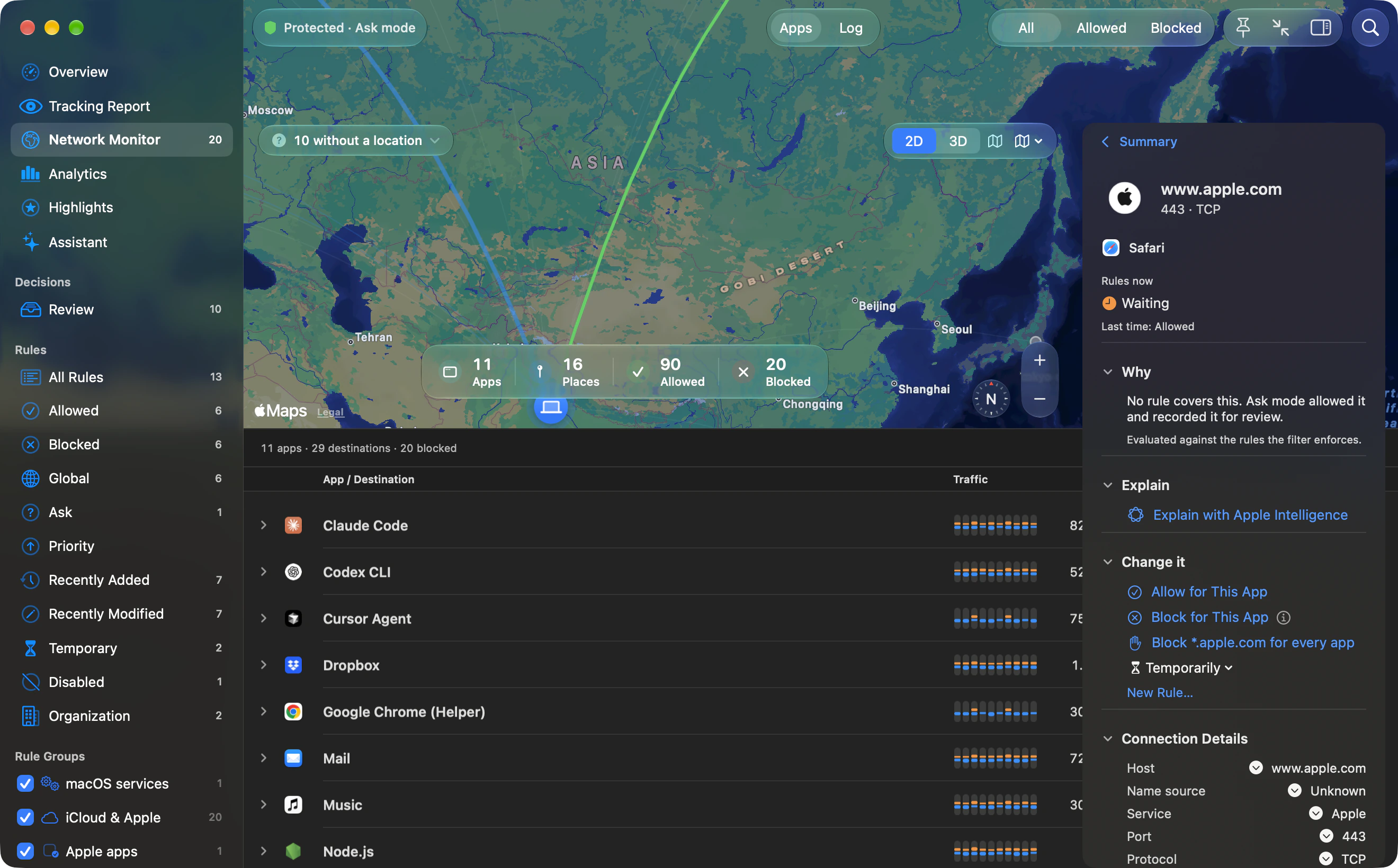
One Mac, one window
Outbound recorded these counts on one Mac from 2026-10-13 14:20 UTC to 2026-10-14 10:35 UTC. They are connection counts, not bytes. The Mac ran Claude Code 2.1.296, Codex CLI 0.162.1, Grok CLI 1.0.49 and Kiro CLI 2.27.1. The Claude Code figures in the table are all from version 2.1.296; some rows in the capture are labelled 2.1.299 instead.
Left out of the table: two Claude Code 2.1.296 destinations that are addresses, 160.79.104.10 and 2607:6bc0::10, with 361 connections each; every row labelled Claude Code 2.1.299; rows labelled Codex desktop service, a different process; hosts that belong to MCP servers configured on that Mac (mcp.watermelon.sh and mcp.apify.com under Claude Code 2.1.299, agent.tinyfish.ai under Grok CLI); and the Factory Droid, OpenCode and Muse Code rows. Those MCP hosts are not evidence of what the agent vendor runs.
| Tool | Host | Connections |
|---|---|---|
| Claude Code 2.1.296 | api.anthropic.com | 5288 |
| Claude Code 2.1.296 | http-intake.logs.us5.datadoghq.com | 535 |
| Claude Code 2.1.296 | downloads.claude.ai | 88 |
| Codex CLI | chatgpt.com | 8027 |
| Codex CLI | ab.chatgpt.com | 192 |
| Codex CLI | codex-cloud-environments.chatgpt.com | 40 |
| Grok CLI | api.mixpanel.com | 2199 |
| Grok CLI | grok.com | 1808 |
| Grok CLI | cli-chat-proxy.grok.com | 1466 |
| Grok CLI | api.x.ai | 383 |
| Kiro CLI | runtime.us-east-1.kiro.dev | 1151 |
| Kiro CLI | q.us-east-1.amazonaws.com | 988 |
| Kiro CLI | management.us-east-1.kiro.dev | 863 |
Opt-outs the vendors document
The settings below are quoted from each vendor’s docs, not run. A setting and a firewall rule do different jobs.
Claude Code’s environment-variable reference says DISABLE_TELEMETRY, set to any non-empty value, opts out of telemetry, and that 0 and false still opt out, unlike most on/off variables. You unset the variable to turn telemetry back on. CLAUDE_CODE_DISABLE_NONESSENTIAL_TRAFFIC, also any non-empty value including 0 or false, disables nonessential network traffic: auto-updates, telemetry, error reporting, the /feedback command, release notes and availability checks. DO_NOT_TRACK=1 has the same telemetry effect as DISABLE_TELEMETRY. The page says DO_NOT_TRACK is read as a normal boolean, so 0 leaves telemetry on.
Codex’s configuration reference says otel.metrics_exporter defaults to statsig, and that none disables metrics export on its own. It says analytics.enabled = false disables that exporter, including custom OTLP exporters. When analytics.enabled is unset, the client default applies, and the reference does not say what that default is. otel.log_user_prompt is an opt-in for exporting raw user prompts. The reference does not name ab.chatgpt.com; the count for that host above is from the capture, not from OpenAI’s page.
Grok’s settings reference says GROK_DISABLE_AUTOUPDATER, when set, suppresses the auto-updater for that process, and auto_update under [cli] controls the update check. For analytics, xAI’s configuration guide describes telemetry under [features] as the product-analytics master switch and mixpanel_enabled = false under [telemetry] as the switch for Mixpanel product analytics. The guide does not name a host, but api.mixpanel.com in the table is Mixpanel’s.
Limit one agent, one host
The FAQ says a rule can block one agent from one host while the rest keep working, and that the AI Agents and Coding Tools filter lists AI apps and anything that talks to an AI service. Match a signed app by team and signing ID, or use an exact path. Path rules match exact paths. Wildcard paths are not supported.
In Ask mode, an unanswered connection is allowed after 8 seconds for UDP or 60 seconds for TCP by default, then added to Review. The TCP wait can be set from 15 to 120 seconds, or unanswered connections can be blocked. Strict mode blocks a connection that has no matching rule. A deny you wrote is what holds when nobody answers the alert.
Outbound instructions are based on Outbound 1.0 and its command-line help. Download Outbound. External product and platform sources are linked beside the relevant guidance.