Mac firewall guides
How to stop Mac apps phoning home
To limit an app’s outgoing connections, identify its destinations and block only the ones you intend to deny. A hostname alone does not prove a connection contains analytics.
Updated
Step by step
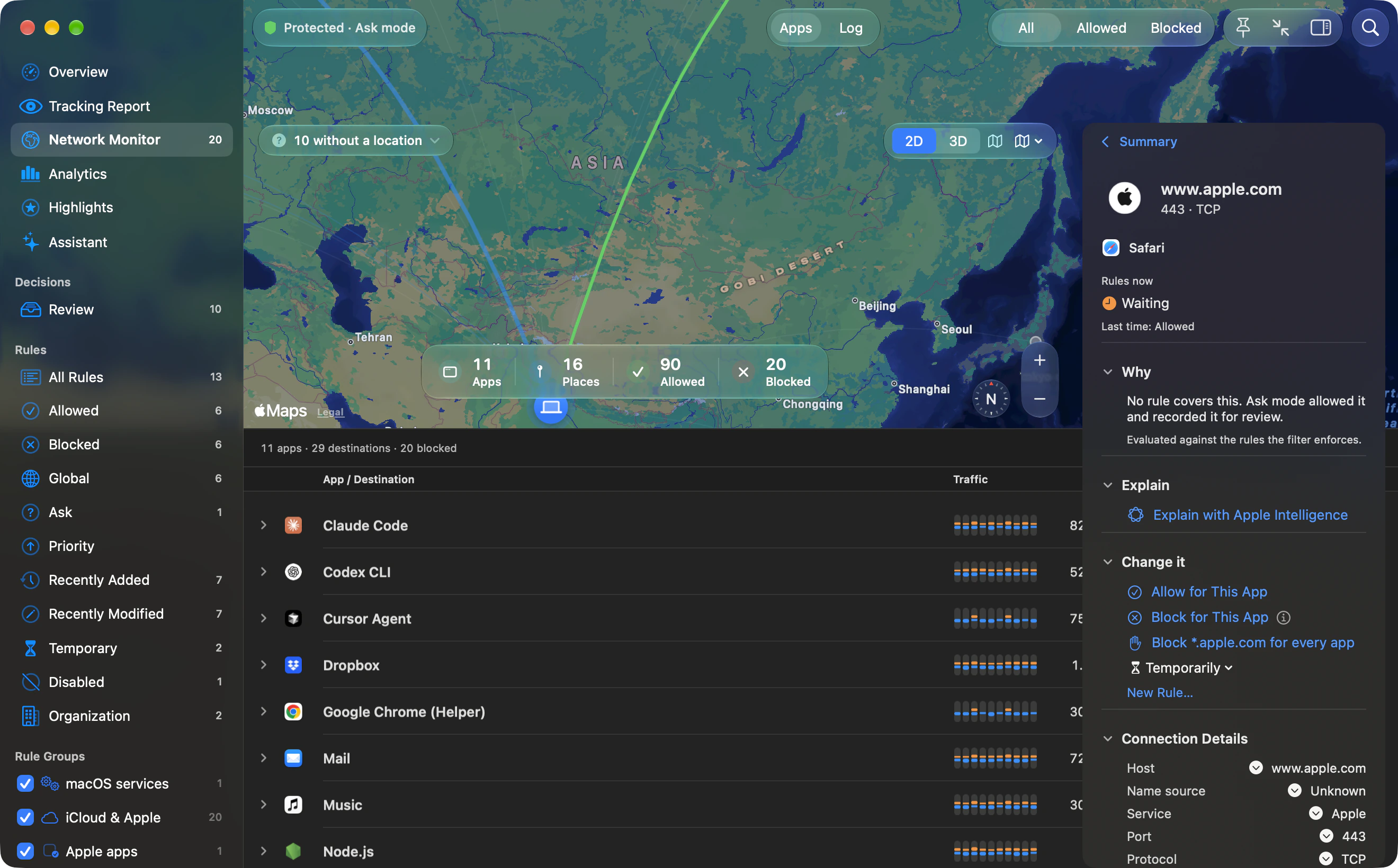
- Observe the app’s normal behavior. Open the Network Monitor and search app: followed by the app’s name. Perform a familiar task such as opening a document or syncing. Record the destinations it contacts; Sent and Received on each destination row show exactly how many bytes its closed connections transferred.
- Check what each destination is for. Read the app vendor’s network or privacy documentation. Distinguish its API, authentication, licence checks, updates and optional analytics where documented.
- Deny one host first. Create an app-specific deny rule for the exact host. Use a temporary lifetime while testing. A broader domain rule covers subdomains and can block more than intended.
- Retest the same workflow. Check the monitor for the denied connection, then test sign-in, editing, saving and sync. Undo the rule if the app no longer performs the task you need.
- Keep or revise the rule. Once the result is understood, choose a suitable lifetime. Review it after app updates or new services are introduced.
Avoid assuming that “blocked” means “safe”
A firewall decision applies to a flow. It does not classify a company’s intent or inspect the meaning of every encrypted request. Outbound shows process and destination information, not a destination reputation score.
Some apps depend on their network checks
An application may refuse to work if a required authentication or licensing service cannot be reached. Users have reported quit-on-block behavior in LuLu issue 796. That report is not an Outbound test result or a claim about every version of the app.
Remember the mode default
Unanswered Ask-mode connections are allowed after 8 seconds for UDP or 60 seconds for TCP. Choose explicit deny rules or a tested Strict mode setup for unattended restrictions.
Outbound instructions are based on Outbound 1.0 and its command-line help. Download Outbound. External product and platform sources are linked beside the relevant guidance.