Mac firewall guides
Fewer firewall alerts
Reduce firewall alerts by choosing the right mode and rule scope. Do not solve alert fatigue by approving destinations you have not understood.
Updated
Step by step
- Choose an observation or enforcement mode. Learn applies your rules and lets unmatched connections through, recording them in Review. Strict applies your rules and blocks unmatched connections. Ask pauses new connections to ask you.
- Inspect repeated destinations. Use the Network Monitor to identify the app, host, port and protocol behind repeated connections. Different helpers may represent different processes. The alert names the developer from the app’s signing certificate, says when a server belongs to that developer or that Outbound doesn’t recognise it, and quotes the app’s Internet Access Policy if it ships one.
- Choose the smallest useful scope. Use This host for one endpoint. Use This domain only when you intend to cover its subdomains too. Any destination is broader still. In the alert, the rule can also cover only this port, any port, or any port and protocol.
- Match the lifetime to the task. Use Once for a single decision or For 1 Hour for a temporary session. Until Quit, Until Logout and Until Restart provide session boundaries; Forever persists.
- Review the remaining prompts. Look for rules that are too narrow, changed process paths or signing identities, and tasks using several unrelated services. Revise only when you understand the cause.
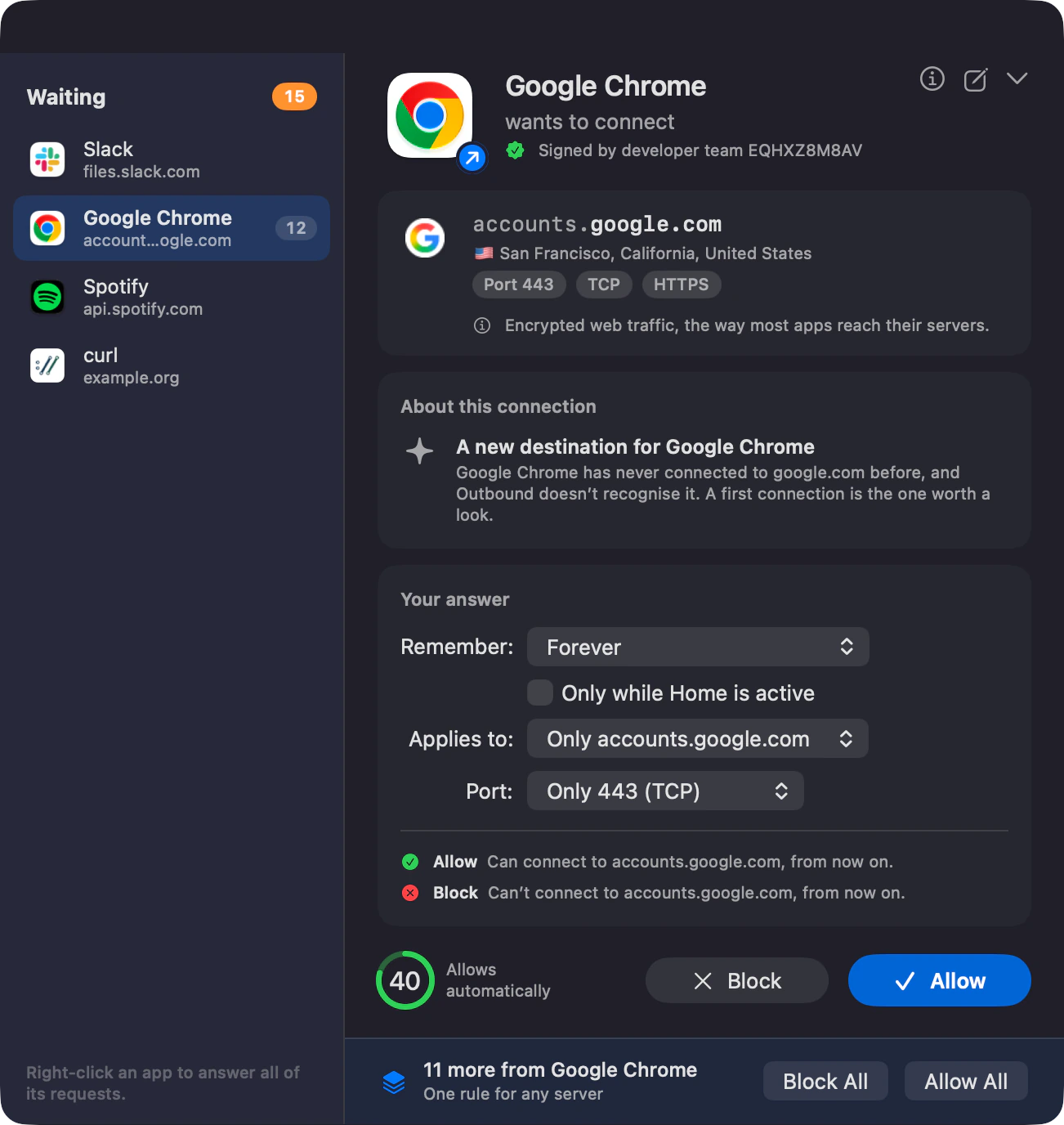
What an unattended alert does
Ask mode is not an indefinite hold. By default, unanswered UDP connections are allowed after 8 seconds and unanswered TCP connections after 60 seconds, then added to Review. You can have them blocked instead, and Strict mode blocks unknown traffic without asking at all.
What domain scope means
Outbound uses the Mozilla Public Suffix List to identify registrable domains. For example, a rule for example.co.uk covers api.example.co.uk as well. Do not widen a rule simply because two unrelated hosts look similar.
The goal is a rule you can explain
Keep a small record of why a broad allowance exists. When a workflow finishes, remove temporary exceptions that no longer belong. The development app combines repeated flows for the same app, host, port and protocol into one open alert.
Outbound instructions are based on Outbound 1.0 and its command-line help. Download Outbound. External product and platform sources are linked beside the relevant guidance.